
Three decisions, not to be confused
Subscribing to Starlink means choosing three separate things:
- The type of plan — Residential (fixed address) or Roam (mobility)
- The equipment — the Mini or Standard kit, with the antenna and the router
- The speed tier of your monthly plan, with no commitment
You can change speed tier from one month to the next from your customer account. The type of plan and the equipment, on the other hand, are chosen at the start and have a real impact on each other — that's what we detail below, because it's the part most people find out about too late.
Residential or Roam: the question to ask yourself first
In the Starlink app, as on the website, you're asked to choose between two types of plans, accessible from the three-dot menu:
- Residential: designed for a fixed installation, at a declared address (your home, your second home). This is the plan we set up in almost all home installations.
- Roam: designed for mobile use — motorhome, van, boat, temporary building site, regular travel. No fixed address to declare.
This choice isn't just an administrative formality — it directly determines how you pay for the equipment, and it's not a free choice, each plan imposes its own mode:
- Residential: the equipment is rented. You don't pay for the kit upfront, but a 19€ delivery fee (including tax) applies at activation, on top of the subscription. There is no purchase option under Residential.
- Roam: the equipment must be purchased. You pay for the kit once (199€ for the Mini, for example), plus the same 19€ delivery fee. You then own it. There is no rental option under Roam.
For a fixed installation at home, it's almost always the Residential plan you should choose, and therefore the rental of the equipment that automatically applies. The Roam plan is more geared towards mobile uses, which we also handle, but to a lesser extent.
Rent or buy: what it actually changes
This isn't primarily a question of cost-effectiveness, but of practical constraint at the point when you stop or suspend the subscription.
- Under Residential (rental): the equipment remains Starlink's property. If you cancel, you have to send it back in good condition, generally within 30 days — the return itself is free, a prepaid shipping label is provided to you by email, and the return usually goes through DHL. It goes smoothly most of the time, but it can become a hassle if you're far from a drop-off point, or if you cancel for a temporary reason: for example, if you switch to fiber and then the work is delayed or the fiber connection fails, you'll have to rent a kit again to resume Starlink in the meantime, rather than simply reactivating your old equipment.
- Under Roam (purchase): the equipment is yours from the start. If you suspend the subscription (standby mode, wintering, seasonal pause), you never have anything to send back: you keep your kit and reactivate the subscription whenever you like, with the same equipment.
In short: rental (Residential) avoids having to put down several hundred euros upfront, but requires returning the equipment on time if you cancel. Purchase (Roam) costs more upfront, but leaves you completely free afterwards.
Rental terms and pricing change depending on the period: check the current offer on the official Starlink website, or ask us, we keep track of these changes.
Which kit?
The Mini Kit: for the nomad
A compact, lighter version, with the router built directly into the antenna. It fits in a backpack and uses much less power, which makes it appealing for a van, a boat, a building site or a solar-powered cabin.
For a house with several people living in it, it's less suitable: the built-in WiFi is more limited, the range shorter, and the smaller antenna surface makes it more sensitive to obstructions. We don't recommend it as a household's main connection, except for genuinely light use.
Another point to know: the Mini Kit has no built-in Ethernet port. It works only over WiFi by default; to plug in a wired device (desktop PC, console, NAS), you need to add a USB-C to Ethernet adapter, sold separately and not included with the kit.
The Standard Kit: for a house
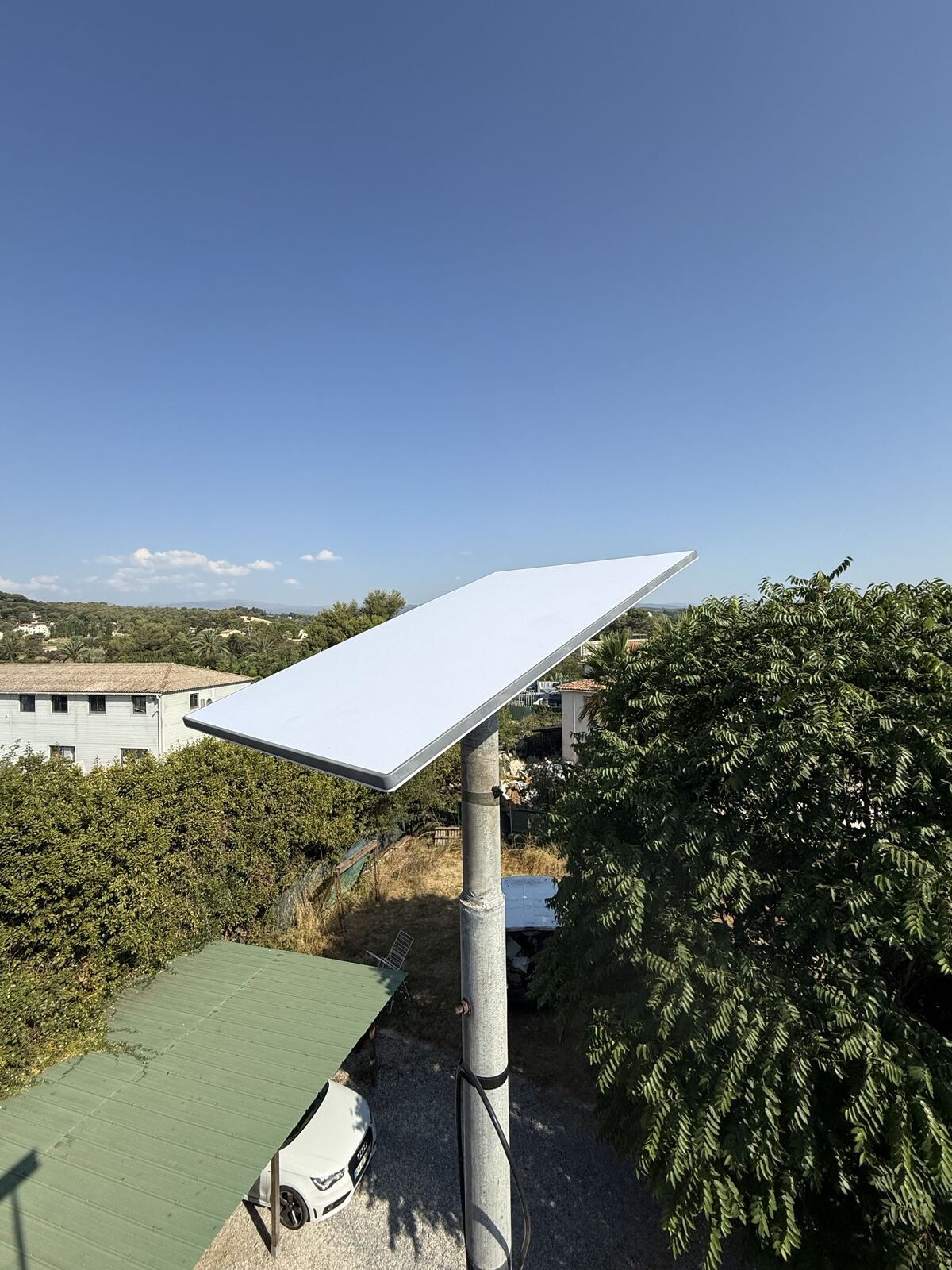
This is the kit designed for a permanent home installation, and the one we fit in almost every case. A good-sized rectangular antenna, a recent WiFi router, a standard mains power supply.
It's right for you if the antenna will stay in place on your roof or in your garden, if several people use the connection, and if you want the best possible stability. It's also the only kit that lends itself properly to a durable roof mount, with suitable brackets.
Unlike the Mini, the Standard Kit's router has a built-in Ethernet port, with the cable included in the box: you can connect your devices over WiFi or wired straight out of the box, with no extra accessory to buy.
Our advice for choosing the right kit
Before deciding, ask yourself a single question: do you need at least one wired connection point, or is WiFi alone enough?
- You live in a small home, all your devices connect fine over WiFi, and no one needs a direct Ethernet cable: the Mini Kit is enough. You'll always be able to change plan (speed) later without changing anything about the equipment — but there will never be a way to wire anything without buying the Ethernet adapter separately.
- You have at least one use that requires a wired connection — a gaming PC, a NAS, a home automation box, an office far from the router — then the Standard Kit is what you need, with its built-in Ethernet port. In exchange, this generally involves a bit of work to run the cable through to the room in question (drilling through one or two walls, for example), on top of installing the antenna itself.
For gaming in particular: WiFi always adds a bit of latency and micro-interruptions, even with a good signal. For competitive online gaming, a direct Ethernet connection between the PC or console and the router remains the most stable solution — this is what the Standard Kit allows natively. With the Mini, you'd need to add the USB-C to Ethernet adapter to get the same stability.
In short: a home or second home with a genuine need for a wired connection, go for the Standard. WiFi-only use, travel, van, boat, building site, go for the Mini.
Once you've identified these basic needs, call us at 06 95 62 24 33 during our opening hours (Monday to Friday, 9am-6pm): we'll fine-tune the choice with you based on your home and your uses.
Which plan?
Speed tiers are not the same depending on whether you're under Residential or Roam. Rather than thinking in megabits — a figure that means nothing to most people — here's what it actually changes in practice, with current pricing.
Information verified on August 14, 2026. Starlink pricing and plans change regularly: these figures are given for guidance only, always check the current price on starlink.com, or call us, we keep track of these changes.
Residential plans
| Plan | Download speed | Price |
|---|---|---|
| Residential 100 | up to 100 Mbps | 35€/month |
| Residential 200 | up to 200 Mbps | 45€/month |
| Residential Max | up to 400 Mbps, with network priority | 65€/month |
Upload speed is not capped on any of these three plans.
The entry-level plan (100) is perfectly suited to a household of one or two people with everyday use: browsing, email, social media, video streaming on one screen at a time, a few video calls. For a second home or a retired couple, this is very often the right answer, and it's the choice we recommend most often.
The mid-tier plan (200) is the right compromise once the household gets a bit busier: two people working remotely at the same time, teenagers, high-definition streaming on several screens, regular downloading. This is the most common choice for families.
The Max plan is useful for a large, heavily connected family, a gîte or bed and breakfast with WiFi shared between guests, intensive professional use, or large regular file transfers — photo, video, backups. For an average household, it's rarely necessary.
Roam plans
| Plan | Data volume | Price |
|---|---|---|
| Roam 100GB | 100GB at full speed, reduced speed beyond that | 45€/month |
| Roam Unlimited | no data cap | 95€/month |
Speed under Roam varies depending on the area and network congestion, and is generally more modest than under Residential. For occasional or seasonal mobile use, the 100GB plan is enough for most of our clients; Unlimited is aimed mainly at nomads who live permanently connected.
Our advice for choosing the right speed
Start lower than you think you need, and move up if necessary. Plans have no commitment and can be changed in a few clicks. Paying for the most expensive plan straight away "to be safe" very often means spending several hundred euros a year on speed nobody uses. Doing the opposite costs nothing.
What it costs in total
The budget always breaks down into four lines:
- The kit: rented monthly under Residential, or bought once (around 199€ for the Mini, 349€ for the Standard) under Roam — see above.
- The delivery fee, 19€ (including tax) at activation, whether the equipment is rented or bought.
- The monthly subscription, with no commitment, according to the table above.
- The installation, if you don't want to get on the roof yourself. That's our part, and it's covered by a free quote.
These amounts change regularly, including downward, and promotions appear depending on the period and the area: always check the current price on the official Starlink website, or call us, we'll tell you where the offers stand at the time you're reading this.
Rarely necessary, but good to know
In the vast majority of installations, the kit is enough as it is. Depending on your home's layout, an additional item is sometimes needed — rarely several at once:
- A roof mount or a mast suited to your roof, if the antenna can't be placed on the ground
- A cable extension, if the distance between the antenna and the router exceeds the length supplied
- A dedicated power socket near the router, if none exists
- Additional WiFi access points or Ethernet cabling, if your house is large or has thick walls: the router alone doesn't always cover the whole home
These items are costed in our quote, with no surprises at the end.
The most common mistakes we see
- Choosing the Mini to equip an entire house because it's cheaper to buy — then having to buy a Standard afterwards
- Subscribing to the most expensive plan just in case, without ever using the speed
- Buying the kit before checking for obstructions, then discovering that the only possible location needs a mast
- Placing the antenna on the ground "temporarily" and leaving it there: a guaranteed way to get repeated dropouts and equipment that ages badly
- Overlooking WiFi coverage: having 200 Mbps at the antenna is useless if there's no signal in the back bedroom
- Subscribing to a Roam plan thinking you can rent the equipment: rental only exists under Residential, you have to buy the kit under Roam
Not sure which to choose? Call us
Tell us how many people are in your household, what you use the internet for and what your house is like. In two minutes on the phone, we'll point you towards the kit and plan that genuinely match your needs — including if the answer is to spend less than you were planning.
For any questions or additional information, you can reach us at 06 95 62 24 33, Monday to Friday from 9am to 6pm. Outside these hours, this line is reserved for emergencies, available 24/7.